Minew MBT02 0052
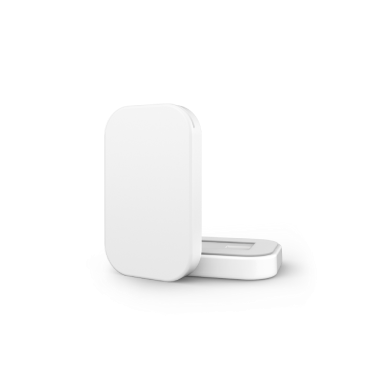
Description
Minew MBT02 0052 is a 3rd party hardware from Minew. User replaceable CR3032 coin cell battery.
The Bluetooth chipset is nRF52832 from Nordic Semiconductor.
Firmware Model Number: 0x0052 (82)
DFU Type: BLE SMP
Normal operation procedure
Similar to all Meshtech devices the Minew MBT02 0052 is delivered in storage mode. This is to conserve power and avoid BLE advertising during transport. Normal operation device-mode for this device is connected. Pressing button for 1s will make device discoverable by advertising BLE storage mode advertisements, and device can be switched to connected mode by command via system/gateway. If no command to switch device mode is received while being in this state, device will go back to sleep and stop advertisements.
In connected mode device will attempt to join nearby Meshtech system, directly to a gateway or trough a network of extenders.
Service Mode
Service Mode can be used to perform DFU upgrades and/or factory reset of a device when provisioning information (i.e. network key) is unknown/lost. To enter Service Mode, button need to be pressed while powering on device; in this device’s case - while inserting the battery. Device being in Service Mode is indicated by LED blinking rapidly. Device is discoverable by “SM” device name while in Service Mode. It runs BLE SMP and can be connected to and upgraded. To perform factory reset, press button continuously for more than 5 seconds while device is in Service Mode. LED will light constant while button is held, and should be held until LED turn off (5s) to perform factory reset. If no connection is established or no factory reset command is received, device will reboot and start in previous mode after 2 minute timeout. Timeout is extended while BLE connection is established and for additional 2 minutes after disconnect.
Properties
Property |
Reported |
Default Value |
From Version |
|---|---|---|---|
Yes |
0x0052 (82) |
||
Yes |
- |
||
Yes |
- |
||
No |
- |
||
No |
- |
||
Yes |
0x00 |
||
Yes |
0x02 (2) |
||
Yes |
- |
||
No |
0x00000000 |
||
No |
- |
||
Yes |
0x03 (storage) |
||
Yes |
0xFF (255) |
||
- |
- |
||
- |
- |
||
Yes |
0xC3400003032005 |
||
Yes |
0x003C (60) |
||
- |
- |
||
- |
- |
||
- |
- |
||
No |
0x00000000 |
||
Yes |
0x0000000000 |
||
No |
- |
||
Yes |
0x00 |
||
Yes |
0x000000000000 |
||
Yes |
0x000A0064 (10, 100) |
||
Yes |
- |
||
Yes |
- |
Events
Event |
Version |
|---|---|